ExpressVPN vs VyprVPN: which VPN wins on privacy, speed, and value

A direct comparison of expressvpn and vyprvpn, covering privacy, speed, server network, streaming, and pricing.
In the crowded world of virtual private networks, expressvpn and vyprvpn are two premium options that often come up in recommendations. Both position themselves as reliable, user-friendly, and capable of keeping your online activity private. This article breaks down how they compare across key dimensions you care about: privacy and security, speed and reliability, streaming support, server network and coverage, compatibility, and value for money. By the end, you’ll have a clear view of which one fits your needs better.

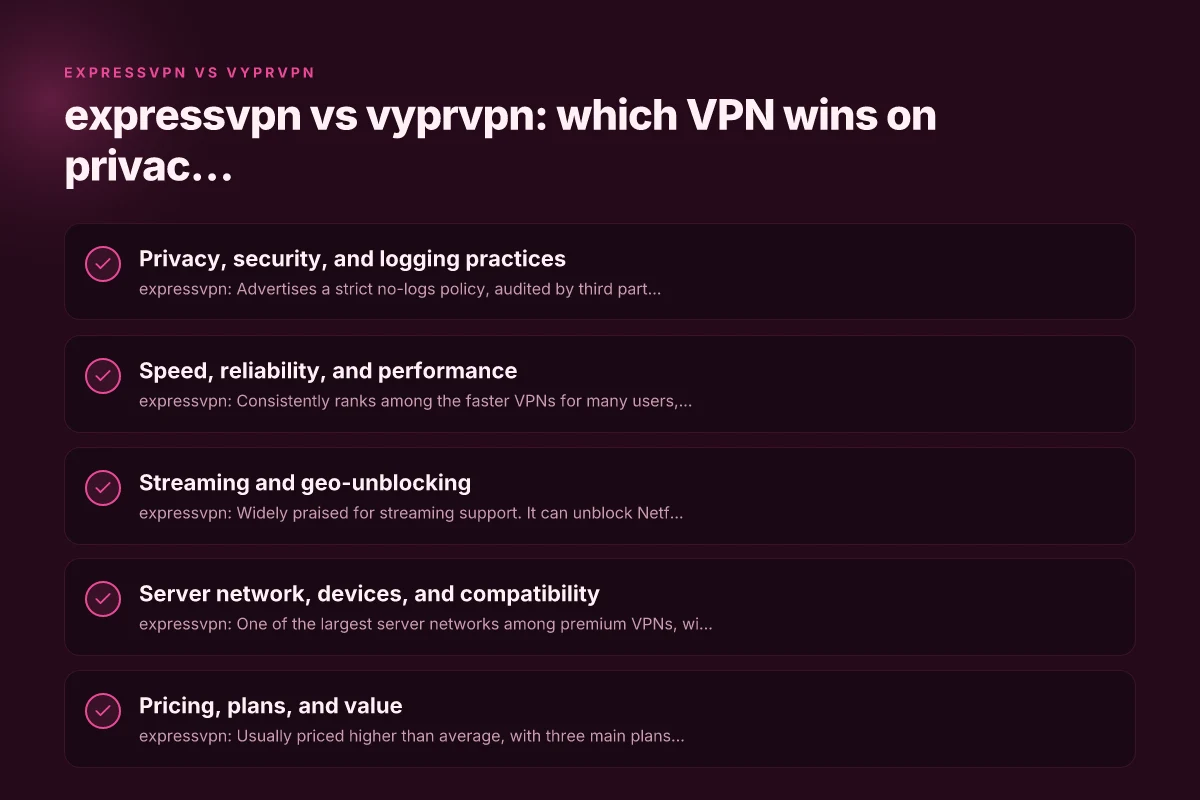
Privacy, security, and logging practices
What each brand promises
- expressvpn: Advertises a strict no-logs policy, audited by third parties, and strong encryption with OpenVPN or IKEv2 protocols. It emphasizes a kill switch and split tunneling in certain plans and devices.
- vyprvpn: Uses its own VyprVPN protocol family (including Chameleon) designed to obfuscate VPN traffic. It claims zero-knowledge DNS and a transparent privacy policy, with a focus on not using third-party logging services and occasionally publishing audit results.
Practical implications
- Jurisdiction can matter. expressvpn is based in the British Virgin Islands, a privacy-friendly jurisdiction but with some legal data retention expectations in the region. vyprvpn is headquartered in Switzerland, another privacy-forward location with strong data protection rules.
- Third-party audits add trust. expressvpn has undergone independent audits of its no-logs claim. Vyprvpn has historically provided transparency reports and, in some cases, independent assessments of its protocol integrity.
Quick takeaway
If independent audit visibility and a broad no-logs narrative are your top priorities, both brands aim to satisfy, but expressvpn often carries heavier emphasis on external verification.
Speed, reliability, and performance
How they perform in real-world tests
- expressvpn: Consistently ranks among the faster VPNs for many users, with optimized servers and smart routing features. Speed tends to be solid for 1080p and 4K streaming, gaming, and general browsing, though results vary by location and ISP.
- vyprvpn: Also delivers strong speeds, leveraging its own server network and the Chameleon protocol to maintain performance on networks that try to throttle or block VPN traffic. Some users report excellent performance on nearby servers and good consistency across regions.
Protocols and network flexibility
- expressvpn: Supports OpenVPN, IKEv2, and its own Lightway protocol. Lightway is designed for quicker handshakes and improved battery efficiency on mobile.
- vyprvpn: Offers its own VyprVPN protocol as well as OpenVPN, WireGuard (where available), and Chameleon for stealth-like operation. This can help in regions with VPN blocking or deep packet inspection.
Practical tip
If you’re in a location with aggressive VPN blocking (like some countries or strict networks), VyprVPN’s Chameleon can be helpful. For general speed and broad compatibility, ExpressVPN’s Lightway often provides snappy performance.
Streaming and geo-unblocking
Can they access popular services?
- expressvpn: Widely praised for streaming support. It can unblock Netflix libraries in several regions, Disney+, Amazon Prime Video, Hulu, and BBC iPlayer, among others. It also tends to handle geo-restrictions better in many cases due to its large server network and tailored configurations.
- vyprvpn: Capable of streaming on major services, but in some regions and times it may require server-switching or protocol changes. It typically works with Netflix, BBC iPlayer, and similar services, but success can be more variable than expressvpn depending on service countermeasures.
Where they shine
- In households with multiple streaming devices or households frequently accessing geo-restricted content, expressvpn’s broader coverage can be a practical advantage.
- vyprvpn can be a strong option for users who also value a reliable VPN for secure browsing and occasional streaming, especially where Chameleon helps with network-blocked scenarios.
Quick takeaway
If streaming powerhouse compatibility across many libraries is your priority, expressvpn has a track record that many users rely on. If you’re navigating networks that aggressively throttle VPN traffic, vyprvpn’s Chameleon protocol can help.
Server network, devices, and compatibility
Server reach
- expressvpn: One of the largest server networks among premium VPNs, with thousands of servers across dozens of countries. This breadth improves chances of finding nearby, fast servers and increases chances for unblocking services.
- vyprvpn: Solid and carefully curated server network. While smaller than expressvpn’s, VyprVPN emphasizes performance over sheer quantity, with a focus on reliable connections and stable speeds.
App availability and device support
- expressvpn: Broad platform coverage, including Windows, macOS, iOS, Android, Linux, routers, and browser extensions. It also supports split tunneling on select platforms and a single sign-on option for enterprise users.
- vyprvpn: Also supports major platforms, including Windows, macOS, iOS, Android, Linux, routers, and some smart TVs. The desktop and mobile apps tend to emphasize ease of use and quick connectivity.
Compatibility notes
- If you rely on routers or want to cover set-top boxes and gaming consoles, check each provider’s router instructions. ExpressVPN typically offers more straightforward router setup guides and optimized configurations for a wider range of devices.
- For users who want specialized features (like split tunneling, kill switches, or automatic connection on startup), both services provide these, but the exact availability can vary by platform.
Quick takeaway
If you want the largest global footprint and broad device compatibility, expressvpn generally has the edge. Vyprvpn remains a strong, dependable option with a focused feature set. ExpressVPN vs Surfshark: which VPN wins for speed, privacy, and value
Pricing, plans, and value
What you’ll pay and what you get
- expressvpn: Usually priced higher than average, with three main plans reflecting annual commitments and monthly options. The price often includes a 30-day money-back guarantee, 24/7 live chat support, and all core features such as Lightway, kill switch, and distributed server access.
- vyprvpn: Tends to offer competitive pricing with occasional promotions. It includes access to features like the VyprVPN protocol and Chameleon, plus a 30-day money-back guarantee on most plans. Family or multi-device bundles may provide good value for households.
Feature trade-offs
- expressvpn bundles a broad set of protections and features in a single plan, with strong performance guarantees and plenty of servers.
- vyprvpn focuses on strong privacy controls, protocol diversity (including Chameleon), and reliable performance, potentially at a lower price point for some users.
Practical budgeting tips
- If you’re paying monthly, both services can feel pricier than annual plans. Locking in a yearly plan usually reduces the monthly equivalent.
- Consider your primary use: streaming, privacy, or bypassing network blocks. If privacy with minimal configuration is your goal, VyprVPN’s approach can be appealing. For overall convenience and streaming reach, ExpressVPN may justify the premium.
Quick takeaway
Pricing isn’t just about the sticker price. It’s about what you get. ExpressVPN claims broad reach and simple use, while VyprVPN emphasizes privacy controls and protocol diversity at competitive prices.
Ease of use, customer support, and user experience
Typical user experience
- expressvpn: Noted for polished apps, quick connect features, and straightforward onboarding. The user experience tends to be consistent across platforms, with helpful troubleshooting guides and a robust knowledge base.
- vyprvpn: Known for clean apps and straightforward setup, with a focus on making it easy to switch protocols and adjust settings like Chameleon with minimal friction.
Support quality
- expressvpn: 24/7 live chat, email support, and a comprehensive help center. They often publish tutorials and setup guides that cover a wide range of devices and use cases.
- vyprvpn: Also offers 24/7 support through chat and email, with a user-friendly help center and protocol-specific guidance. Some users find VyprVPN’s support responsive and thorough for technical questions.
Final usability note
If you value a consistent, plug-and-play experience with extensive streaming support and broad device coverage, expressvpn tends to deliver that out of the box. If you’re a more technical user who may want to tinker with protocols and privacy-focused features, vyprvpn offers a compelling, approachable option.
Quick comparison table
| Feature | expressvpn | vyprvpn |
|---|---|---|
| Server network (approx.) | Very large (thousands) | Solid, curated, smaller than ExpressVPN |
| Protocols | OpenVPN, IKEv2, Lightway | OpenVPN, WireGuard (where available), VyprVPN, Chameleon |
| Privacy stance | Audited no-logs policy, strong privacy claims | No-logs philosophy, privacy-focused disclosures |
| Streaming unblocking | Strong track record across major services | Good, but sometimes variable by region/service |
| Speed and reliability | Often top-tier speed and stability | Fast, stable, with Chameleon for blocked networks |
| Price/value | Premium pricing, broad features | Competitive pricing, strong feature set |
| Compatibility | Broad platform and router support | Broad platform support, user-friendly apps |
| Best for | Broad streaming, easy setup, travel | Privacy-aware users, networks with blocks, protocol flexibility |
Final recommendation
If your primary goal is easy, consistent access to a wide range of streaming services with minimal setup, expressvpn is typically the stronger choice. Its large server network and established streaming success make it a reliable "all-rounder" for many households and travelers. You’ll pay a premium, but you generally get a broad feature set, rapid connections, and strong support.
If privacy and protocol flexibility are your top priorities, and you want features like Chameleon to navigate network blocks, vyprvpn is an excellent alternative. It often offers competitive pricing and a focused, transparent privacy approach, with tools designed to keep VPN traffic less detectable on challenging networks. ExpressVPN vs Private Internet Access: which VPN is right for you
Ultimately, the best pick depends on your priorities:
- Choose expressvpn if you want top-tier streaming unblock, near-universal compatibility, and a hands-off experience.
- Choose vyprvpn if your priority is robust privacy controls, specialized protocols, and reliable performance on restricted networks at a potentially lower price.
Before you decide, consider a short trial period or the money-back guarantee window to test performance in your typical locations and use cases. A hands-on test will reveal which service feels faster, more stable, and easier to use in your daily routine.
| VPN | Obfuscation | From / month | Plan | Free plan | Refund | Alipay | UnionPay | Crypto | Website opens in China | Trustpilot | |
|---|---|---|---|---|---|---|---|---|---|---|---|
 ExpressVPN | ✓ On by default all servers | $3.00/mo | 28 months: $84 | No | 30 days | ✗ | ✗ | ✓ | ✗ | ✗ Blocked | 4.4/5 (29,706 reviews) |
 ZoogVPN | Turn on manually Shadow | $2.49/mo | 27 months: $59.99 | Yes | 7 days | ✓ | ✓ | ✓ | ✓ | Official site blocked; our special link opens (4.4 s) | 4.2/5 (195 reviews) |
 NordVPN | Turn on manually Obfuscated Servers / NordWhisper | $3.49/mo | 27 months: $94.23 | No | 30 days | ? | ✗ | ✓ | ✓ | ✗ Blocked | 4.2/5 (51,628 reviews) |
 Surfshark | ✓ On by default Camouflage, with OpenVPN | See site | See site | No | 30 days | ✗ | ✗ | ✗ | ✓ | ✗ Blocked | 4.3/5 (31,823 reviews) |
 Proton VPN | Turn on manually Stealth, free plan too | $2.99/mo | 12 months: $35.88 | Yes | 30 days | ✗ | ✗ | ✗ | ✓ | ✗ Blocked | 2.1/5 (1,040 reviews) |
 Astrill VPN | Turn on manually StealthVPN / OpenWeb | $12.50/mo | 24 months: $300 | No | See site | ✗ | ✗ | ✗ | ✓ | ✗ Blocked | 1.3/5 (110 reviews) |
 Private Internet Access | Turn on manually Shadowsocks, OpenVPN only | $2.03/mo | 40 months: $81.2 | No | 30 days | ✗ | ✗ | ✗ | ✗ | ✗ Blocked | 4.2/5 (11,033 reviews) |
 CyberGhost | Turn on manually selected servers | $2.19/mo | 28 months: $61.32 | No | 45 days | ✗ | ✗ | ✗ | ✓ | ✗ Blocked | 4.0/5 (24,178 reviews) |
 PureVPN | Turn on manually switch to OpenVPN | $1.69/mo | 60 months: $101.55 | No | 31 days | ? | ? | ✗ | ✓ | ✗ Blocked | 4.4/5 (17,994 reviews) |
 AdGuard VPN | ✓ On by default TrustTunnel | $2.99/mo | 24 months: $71.76 | Yes | 30 days | ✓ | ✗ | ✓ | ✓ | Official site blocked; our special link opens (3.7 s) | 4.3/5 (290 reviews) |
 Mullvad | Turn on manually QUIC / Shadowsocks / LWO | $5.61/mo | €5/mo | No | 14 days | ✗ | ✗ | ✗ | ✓ | ✗ Blocked | 3.2/5 (192 reviews) |
 Windscribe | Turn on manually Stealth / WStunnel | $5.75/mo | 12 months: $69 | Yes | See site | ✗ | ✗ | ✗ | ✓ | ✗ Blocked | 4.7/5 (13,355 reviews) |
 StrongVPN | Turn on manually Scramble, OpenVPN TCP | See site | See site | No | 30 days | ✓ | ✗ | ✗ | ✗ | ✗ Blocked | 4.4/5 (2,695 reviews) |
 LightXtreme 闪连 | Not listed | $7.08/mo | 12 months: $84.99 | Yes | 30 days | ✓ | ✓ | ✓ | ✓ | ✓ Yes (3.5 s) | No page |
Prices checked 2026-11-10 on each vendor's pricing page (cheapest long plan, USD). Check the vendor's checkout for the final price.
Obfuscation checked 2026-11-14 on each vendor's site and help center: "on by default" = nothing to set; "turn on manually" = switch protocol or mode in settings; "not listed" = the vendor describes no obfuscation.
Payment methods checked 2026-11-10 on each vendor's payment pages: all 14 take cards and PayPal; ✗ = not listed, ? = the vendor's own pages disagree.
China access: whether the official website opens from mainland China networks (tests the website only, not the VPN connection). Last checked 2026-11-18 01:02 Beijing time.
Trustpilot score and review count checked 2026-11-10.